Wheel+1.5
Publisher Description
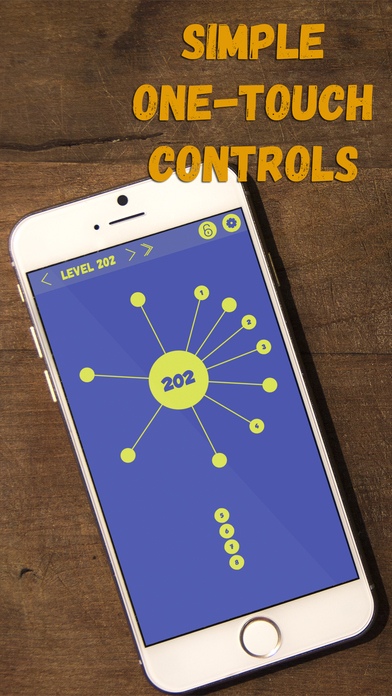
Wheel+
The EPIC, yet classic, Throw-The-Ball-Into-The-Wheel Game!!
TTBITW FTW ( '_') >---o-
Insanely addictive game!
Easy to learn, but hard to master, fun to play. (says the developer)
Test your lack of patience and poor timing.
You will make the same mistakes over and over again.
Learn to wait for the perfect opportunity.
===== Instructions for Dummies =====
- Touch the screen to shoot the balls into the big wheel.
- Of course you're not allowed to hit the other balls.
- So try to avoid the other balls.
- Shoot all remaining balls into the wheel to complete the stage.
- Touch the arrows at the top of the screen to move between levels.
- Touch the "Level #" text to go to a random level.
- If random browsing is not enough for you, write mails to me.
- Something creepy happens if you go over stage 999.
- If you keep get threatened to rate the game, rate the game.
- Send me money through paypal if you would like to help the poor developer.
Requires iOS 7.1 or later. Compatible with iPhone, iPad, and iPod touch.
About Wheel+
The company that develops Wheel+ is JUNG SU HAN. The latest version released by its developer is 1.5.
To install Wheel+ on your iOS device, just click the green Continue To App button above to start the installation process. The app is listed on our website since 2016-04-08 and was downloaded 4 times. We have already checked if the download link is safe, however for your own protection we recommend that you scan the downloaded app with your antivirus. Your antivirus may detect the Wheel+ as malware if the download link is broken.
How to install Wheel+ on your iOS device:
- Click on the Continue To App button on our website. This will redirect you to the App Store.
- Once the Wheel+ is shown in the iTunes listing of your iOS device, you can start its download and installation. Tap on the GET button to the right of the app to start downloading it.
- If you are not logged-in the iOS appstore app, you'll be prompted for your your Apple ID and/or password.
- After Wheel+ is downloaded, you'll see an INSTALL button to the right. Tap on it to start the actual installation of the iOS app.
- Once installation is finished you can tap on the OPEN button to start it. Its icon will also be added to your device home screen.
